> For the complete documentation index, see [llms.txt](https://docs.afflr.io/llms.txt). Markdown versions of documentation pages are available by appending `.md` to page URLs; this page is available as [Markdown](https://docs.afflr.io/settings/zapier-integration.md).
# Zapier Integration
Learn how to integrate Zapier with Yuko to connect with various apps and enable different actions based on conditions.
Zapier allows you to connect Afflr with thousands of apps and automate actions based on affiliate events. This helps reduce manual work and streamline workflows.
### **Why Use Zapier with Afflr?**
Zapier automates repetitive tasks and enables custom workflows tailored to your business processes.
### **Sign Up for Zapier**
Create an account on Zapier and log in to access automation features.
### **Create a Zap**
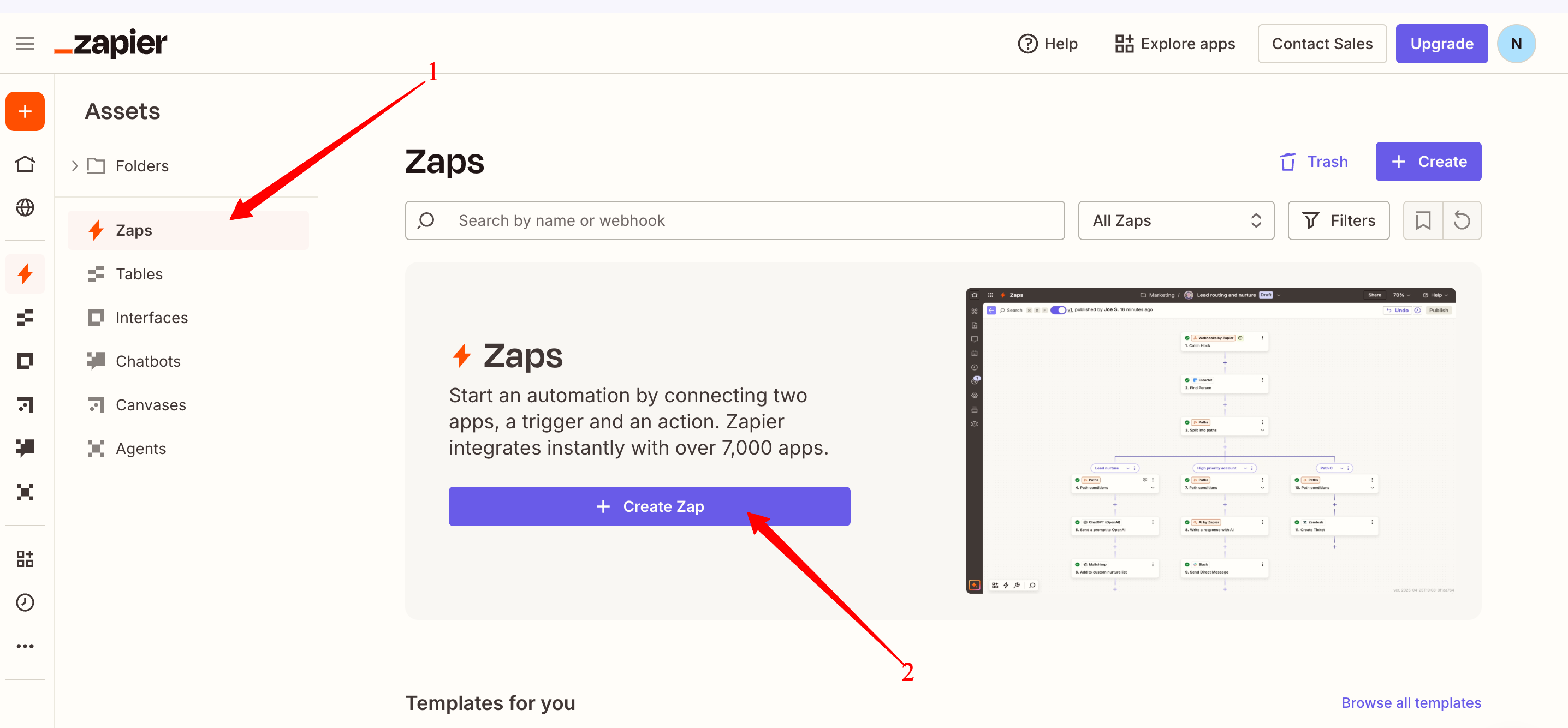
Click **Create** and select **Zap** to start building a new automation workflow.
### **Select a Trigger**
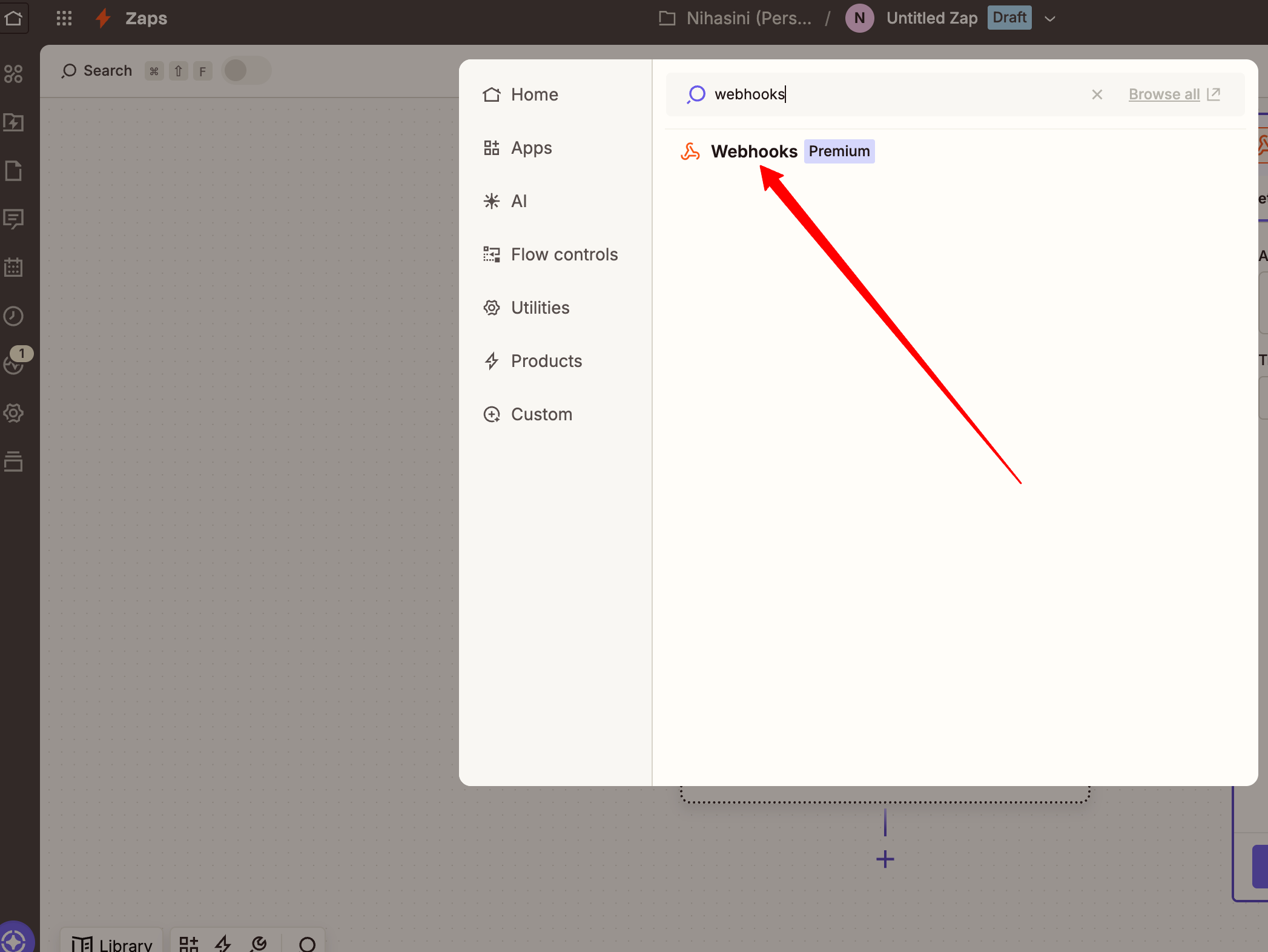
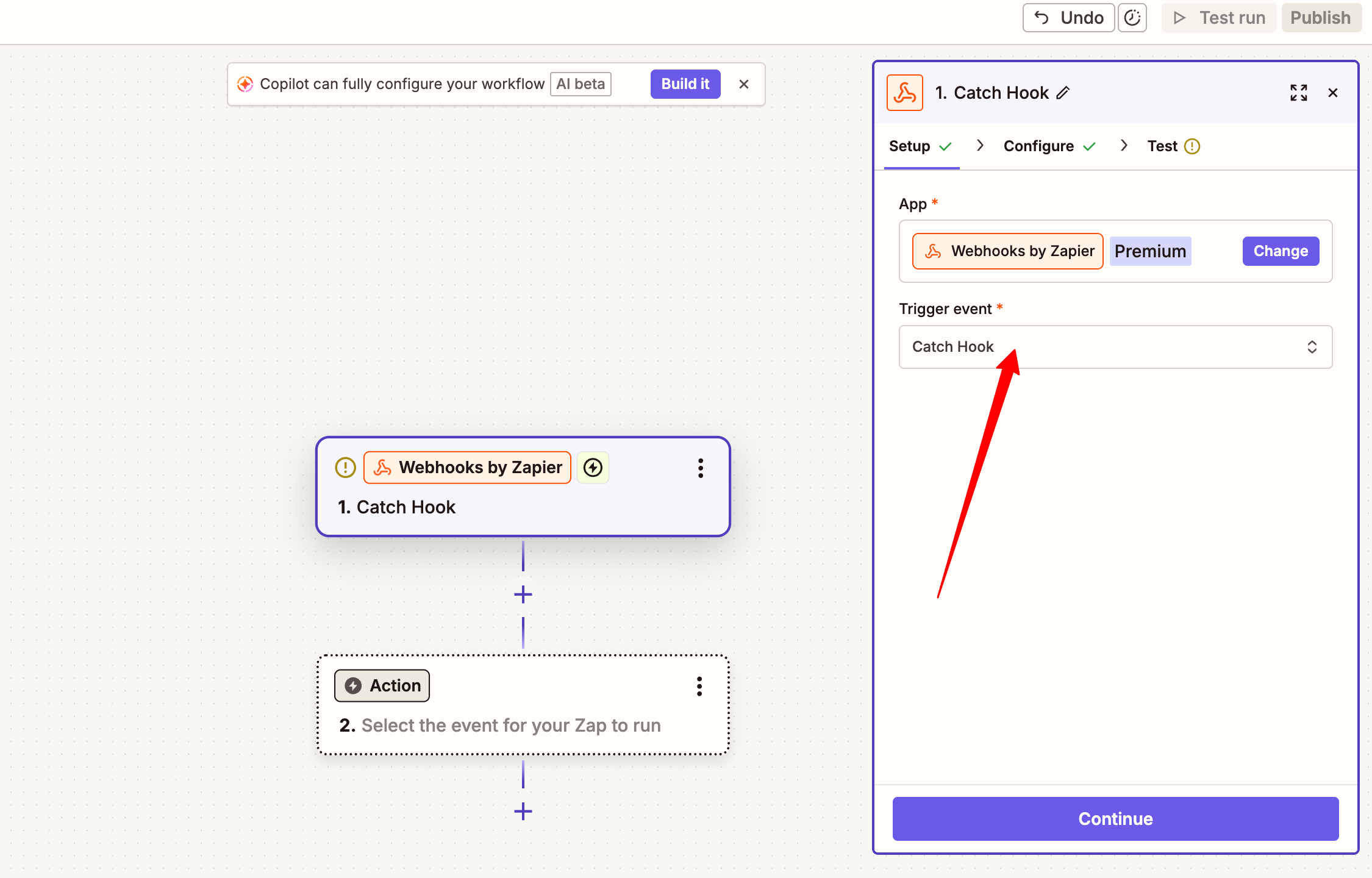
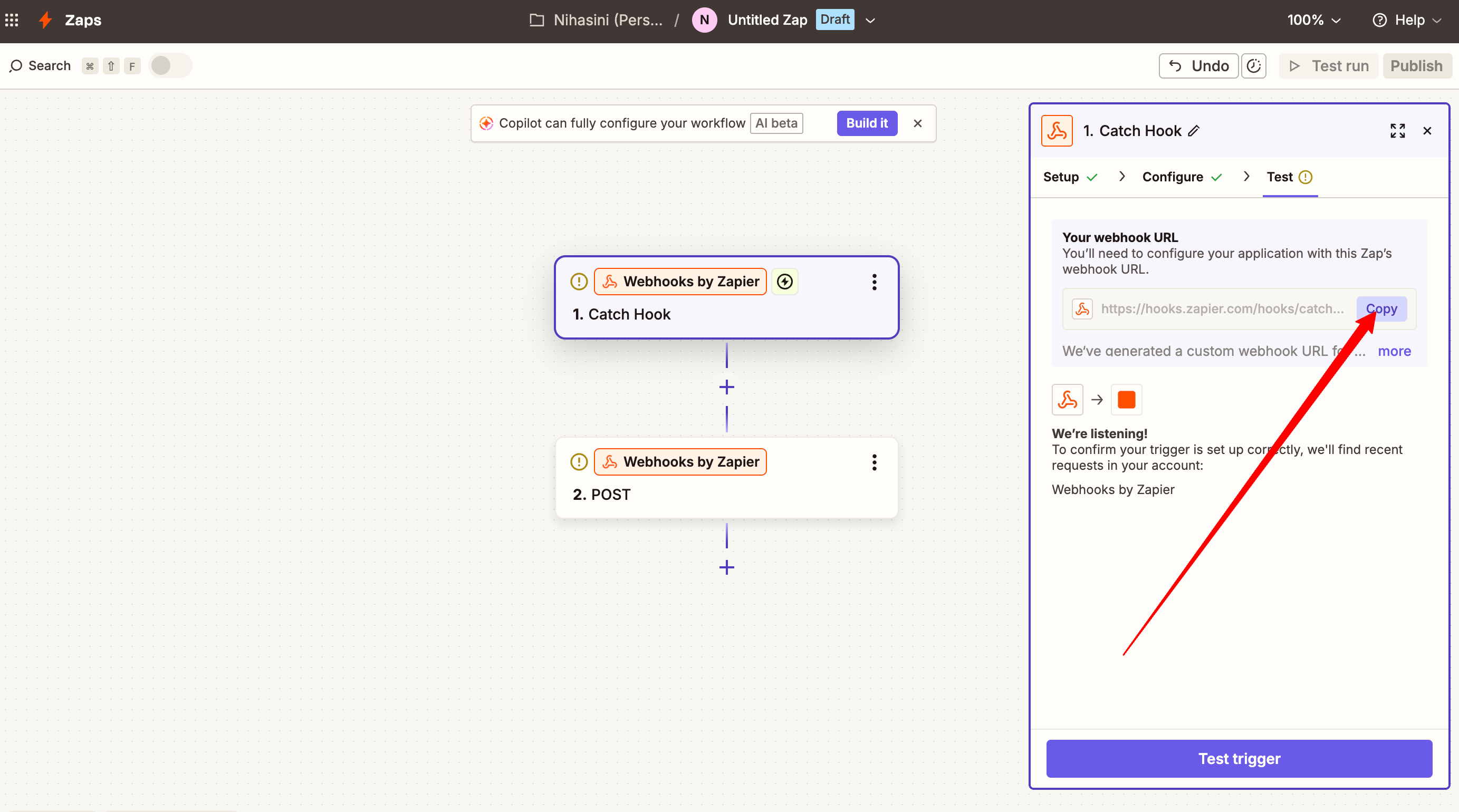
Choose **Webhooks by Zapier** as the trigger app and select **Catch Hook** as the event.
### **Copy Webhook URL**
Copy the generated webhook URL from Zapier, which will be used to connect Afflr.
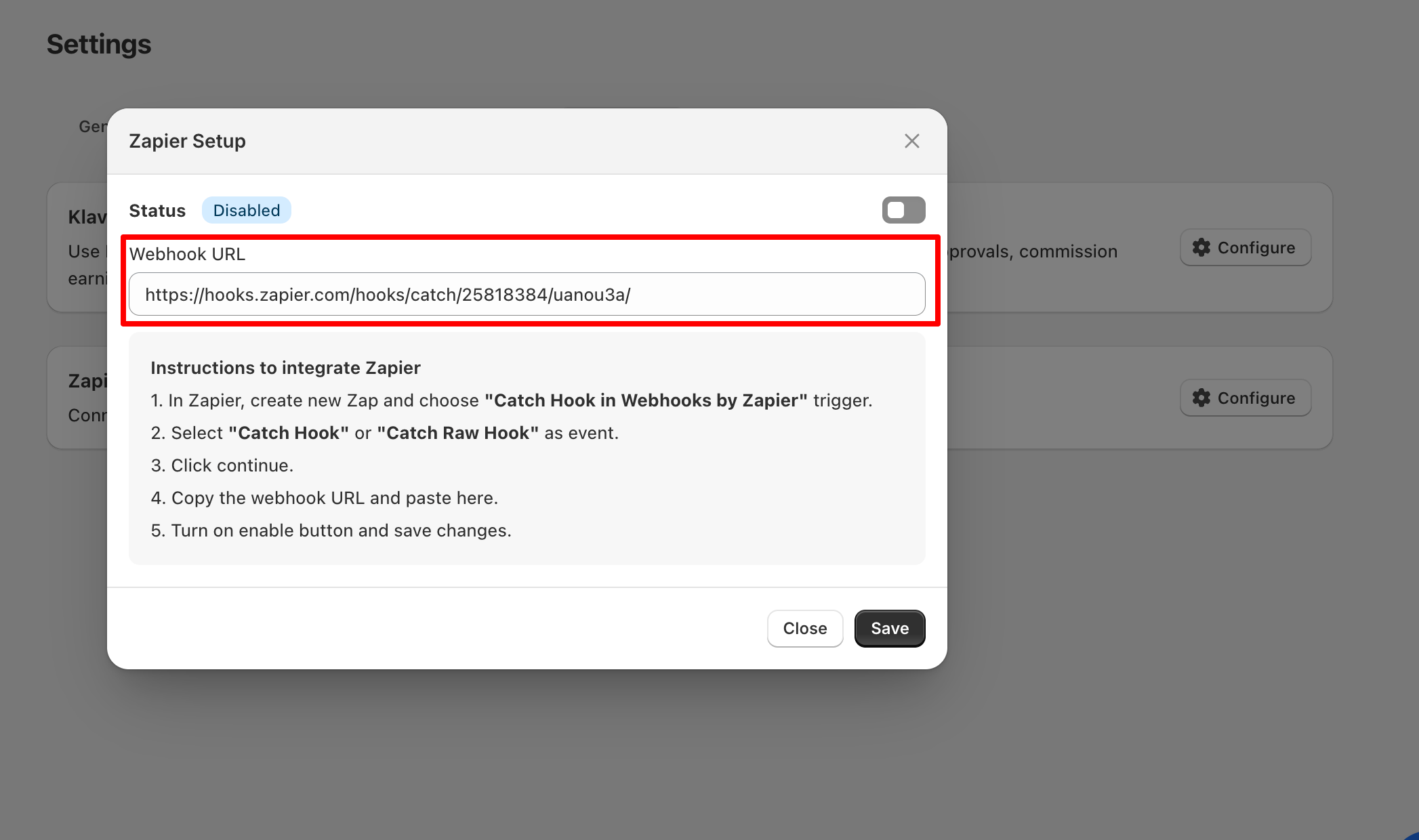
### **Integrate Zapier with Afflr**
Go to **Afflr → Settings → Integration**, enable Zapier, paste the webhook URL, and save.
Once connected, you can automate actions between Afflr and other apps using Zapier workflows.
{% hint style="success" icon="circle-question" %}
#### Need help?
Contact support - [CONTACT](mailto:contact@afflr.on.crisp.email)
Schedule a free onboarding call - [BOOK A CALL](https://cal.com/yukoteam/yuko)
Join the Yuko community - [VISIT](https://yuko.so/partners/agency/)
{% endhint %}